How it works
Mato turns your WhatsApp messages into an organized family to-do list. Here's how, in detail.
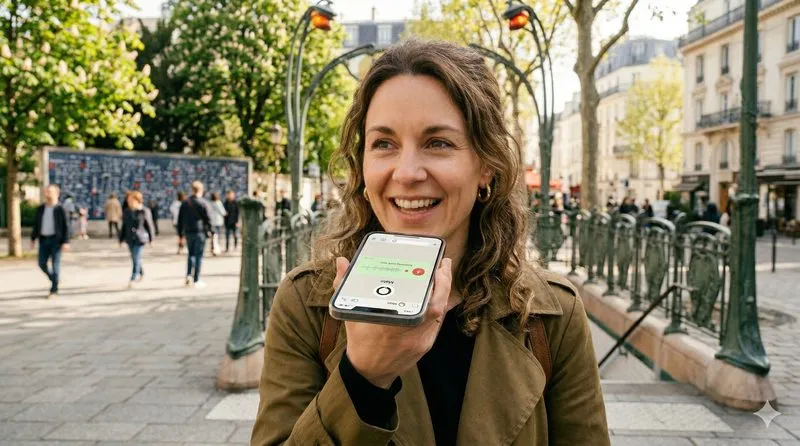
Speak, it's noted.
Send a text or voice note to Mato on WhatsApp. No special syntax needed — speak naturally, as you would to a family member.
Examples:
- "Buy milk, eggs and bread"
- "Remind Marc about his dentist appointment on Friday"
- "I did the laundry and emptied the dishwasher"
- A 30-second voice note with several mixed tasks
Mato understands French and English, voice notes and text, simple phrases and complex lists.
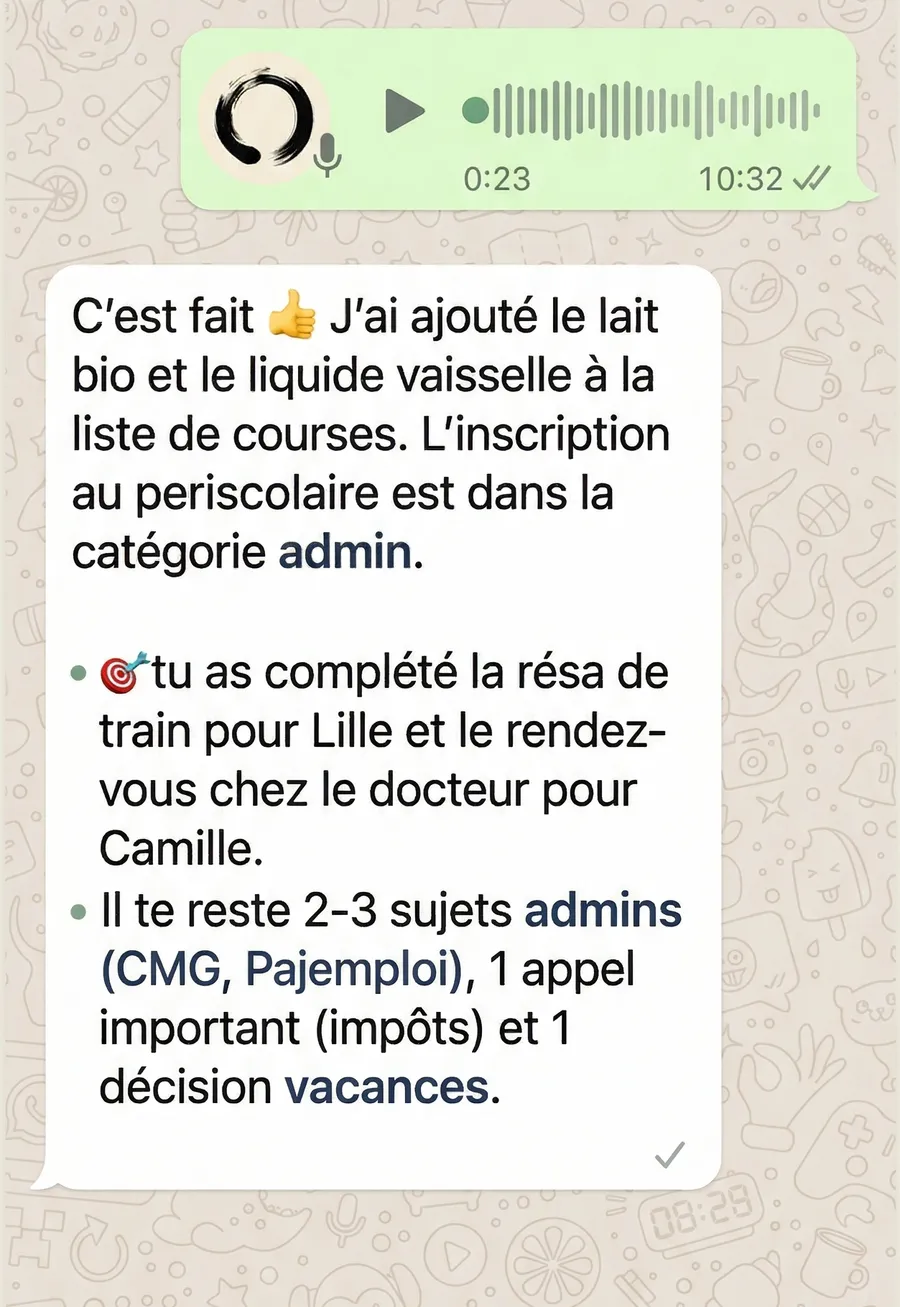
AI understands and sorts.
Mato analyzes each message with artificial intelligence (Google Gemini) and automatically extracts:
- Items — each task or errand to add
- Categories — groceries, admin, home, kids, health...
- Dates — "by Friday", "before the 15th", "tomorrow"
- Urgency — items marked as priorities
- Completions — what you've already done
A single message can contain multiple actions. Mato untangles everything and sends you a clear, structured confirmation.

The whole family sees the list.
A shared web view, accessible from any browser — phone, tablet or computer. Always up to date, in real time.
- Every member can see the full list, organized by category
- Check off what you've done — completed items fade gently
- Add family members with a simple invitation code
- No account to create, no app to install to access the web view
No more asking "did you get the milk?" — everyone sees the same status.
Pro tip: take a photo, Mato understands
Mato isn't limited to text and voice. Send a photo and AI automatically extracts the useful information for your list.
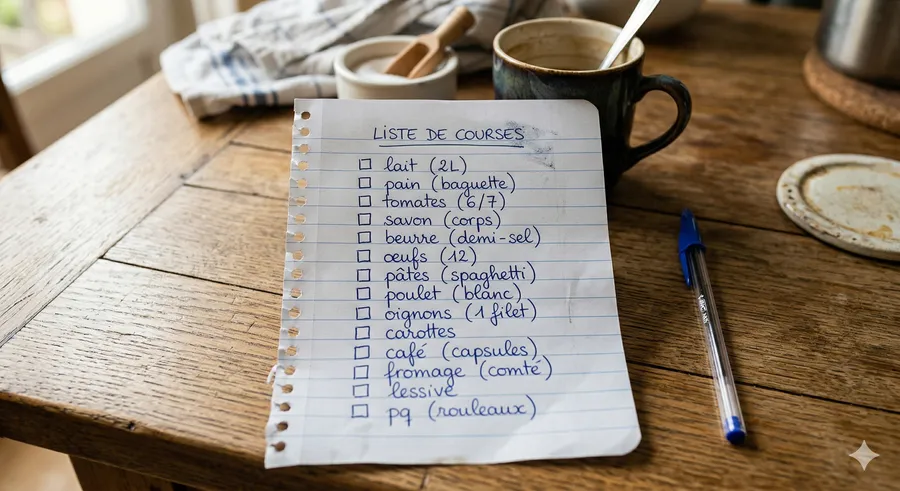
Import a paper list
Got a grocery list scribbled on a piece of paper? Take a photo and send it to Mato. AI reads the handwriting and adds each item to your digital list.

Capture a poster on the street
Walk past a concert poster or an event that interests you? Snap a photo. Mato extracts the name, date and venue, and creates a reminder in your list.
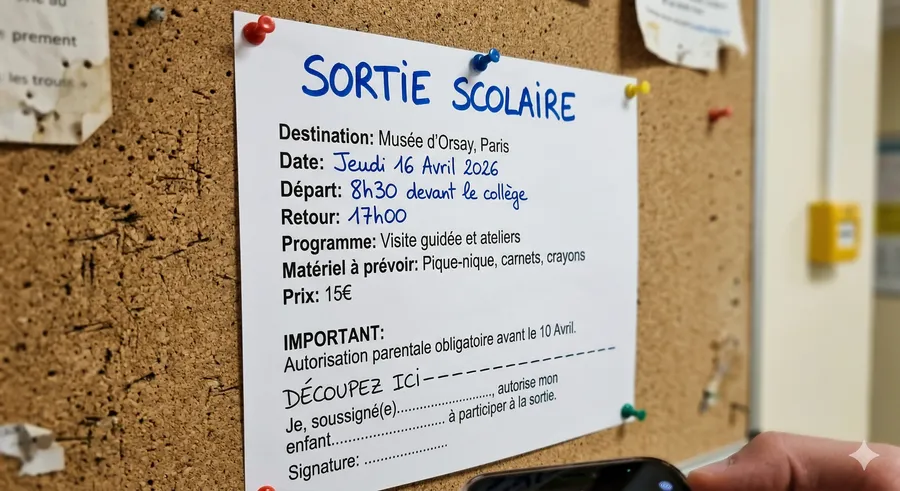
Scan a school notice
Field trip, parent meeting, supplies list — photograph the document and Mato extracts the action items with their dates. Nothing gets lost at the bottom of the backpack anymore.
The web view: your list always accessible
After each message, Mato sends you a link to your shared list. A few tips to get the most out of it:
- Click an item to mark it as done — it fades gently. Click again to reactivate if you made a mistake.
- Completed items stay visible for 15 days — handy for recurring groceries: one click and it's back on the list.
- The link is valid as long as your family is active — bookmark it or pin it in your browser.
- Groceries category is always on top — for quick access at the supermarket.
- Works on all devices — phone, tablet, computer. No app to install.
Collaborating as a family
Mato is designed for the whole family to participate:
- Invite a member — send "invite" to Mato. You'll receive a family code to share. Each member sends it to Mato to join your list.
- Every member adds tasks — all family messages feed into the same shared list.
- Who did what — each action is associated with the member who performed it.
- Monthly report — Family plan subscribers receive a monthly activity summary: tasks added, completed, and most active categories.
Frequently asked questions
How do I get started with Mato?
Does Mato read my messages?
How much does it cost?
What languages are supported?
Do I need to install an app?
How do I add family members?
Is my data secure?
How do I cancel my subscription?
Can AI make mistakes?
Can I use Mato for groceries?
To organise all your family logistics inside WhatsApp, read our guide: organise your family on WhatsApp.